Article categories:
Published:
Can I pay my invoices online?
All it takes is a checking account. Visit https://www.seclock.com/account/payments, or click the Make A Payment button on the Invoices tab of your Account.
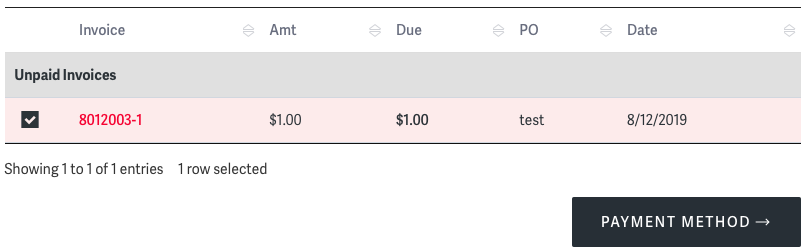
There, you'll see a complete list of your unpaid invoices. Select the checkbox next to any invoice you'd like to pay, and click the Payment Method button to continue.
Additionally, you may click on any invoice number to view a PDF copy of that invoice right in your browser.
Entering your Payment Information
On the resulting page, you'll see fields for your checking account's Routing and Account numbers.

Enter your Routing and Account numbers and click the red Submit Payment button.
After the payment has been submitted, you'll be taken to a confirmation page.

Want to see the status of invoices you've paid?
You'll see them all displayed right on the Invoices page in your Account section.

Posted in:Support